Tool 10 · Private working page
AI command desk
How I run many AI work sessions at once: one page where each session reports what shipped, what changed and what needs me.
The problem
With many AI work sessions running across projects, updates were spread over chats and notes.
A decision, a client reply or a new task was easy to miss.
What it does
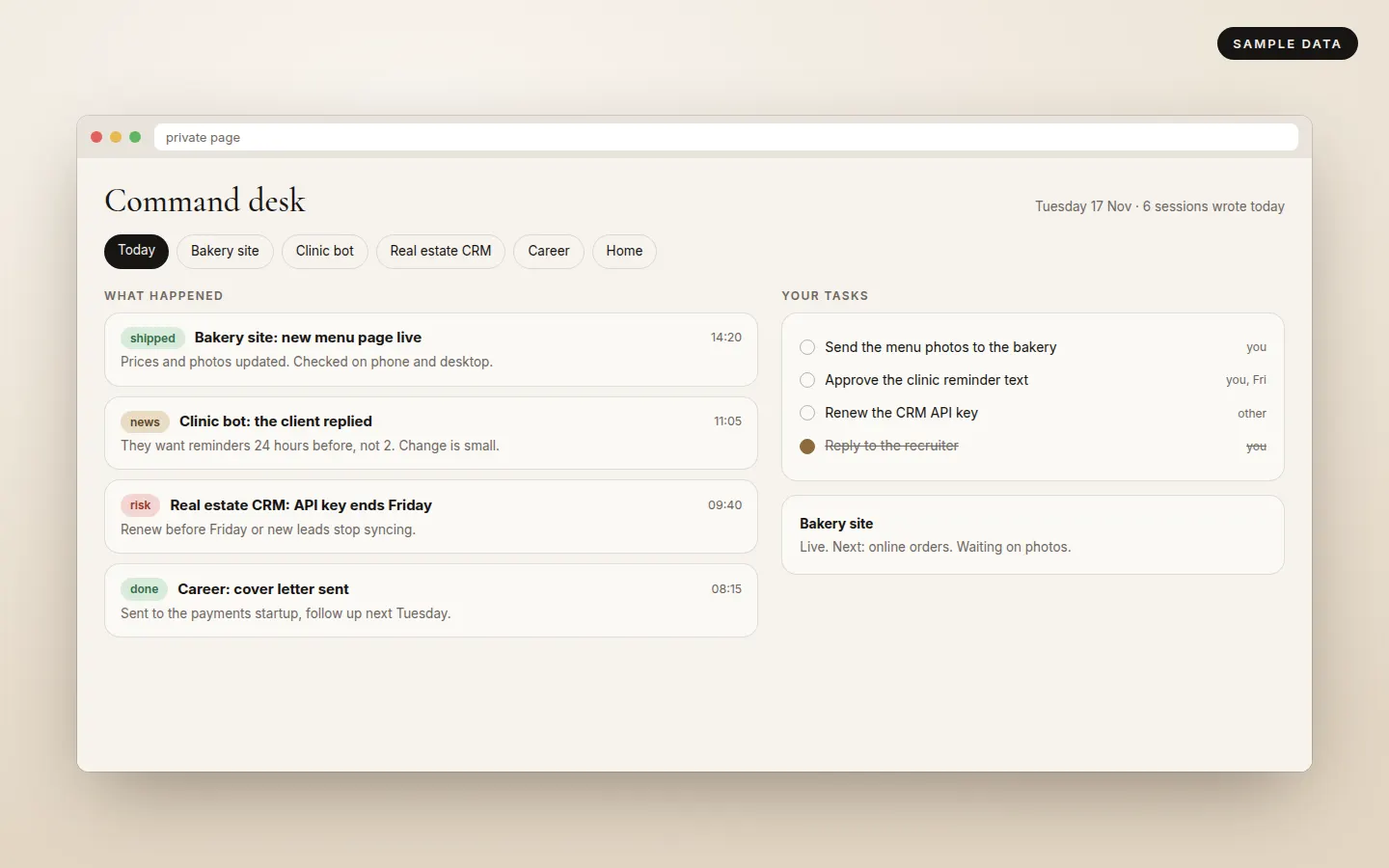
One page, a tab per project: today first, then the state of each project.
Sessions write their own updates: each one posts what shipped, what is done, a decision or a risk, when it happens.
Tasks with an owner: what waits on me and what waits on someone else, ticked off on the page.
Nothing missed: a nightly catch-up adds anything a session did not post.
How it is used
In the morning, one page shows what six sessions finished overnight, two tasks for me and one risk, before a single chat is opened.
Built with
- Claude Code
- Claude artifacts
- A small shared data store
Screens recreated with sample data. Names, numbers and messages are made up. The real page is private; this one uses made-up projects.
Your turn
Want one like this?
Tell me the task your team repeats every day. I build the tool that does it, around your business.